← All products
Utility · 14-day free trial · macOS 15+ · Apple Silicon
Your Desktop is drowning in screenshots.
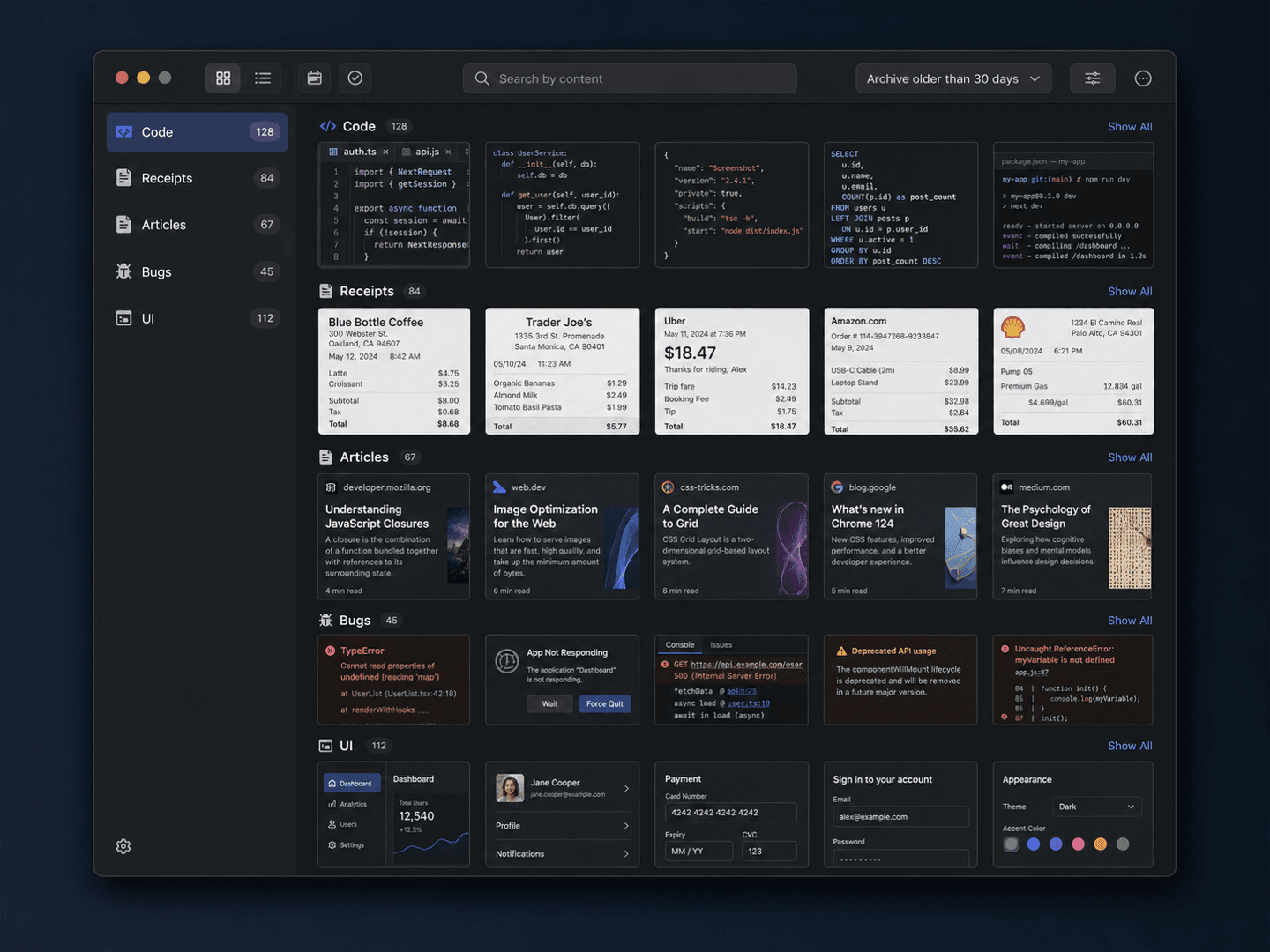
On-device AI sorts every screenshot by what's actually in it, lets you search by content, and quietly archives the old ones — entirely on your Mac.
14-day free trial · one-time license · macOS 15+ · Apple Silicon · signed & notarized DMG
The problem
Your Desktop is drowning in screenshots — hundreds of 'Screenshot 2026-XX-XX at HH.mm.ss.png' files, and the one you need is somewhere in there. Capture tools just make more of them; general file-cleaners can't tell a code snippet from a receipt.
How it works
1
It watches your Desktop
New screenshots are picked up automatically. Nothing to import, nothing to drag in.
2
Sorted by content
On-device AI classifies each shot — code, bug, article, receipt — and OCR indexes the text inside.
3
Find or archive
Search any screenshot by what it says, and let old captures tidy themselves into a dated archive.
What it does
On-device AI sorting
Each screenshot is classified by content — code, bug, article, receipt, and more — using Apple's Vision framework on-device.
Search by content
On-device OCR indexes the text inside every screenshot, so you can find the right one by what it says, not when you took it.
Auto-archive
Screenshots older than your chosen window are tidied into a dated archive folder, keeping your Desktop clear automatically.
Duplicate detection
Perceptual hashing flags near-identical shots so you can clear the clutter in one pass.
Without it
- ✕Hundreds of 'Screenshot 2026-… .png' on your Desktop
- ✕The one you need is somewhere in the pile
- ✕Capture tools just make more of them
- ✕File-cleaners can't tell a code snippet from a receipt
With Screenshot Organizer
- ✓Every shot sorted by what's actually in it
- ✓Search by content — find it by what it says
- ✓Old captures auto-archived, Desktop stays clear
- ✓Near-duplicate shots flagged in one pass
$14.99one-time
✓14-day free trial✓$14.99 one-time✓Up to 3 Macs✓No subscription
Built by the team behind IMESync — a shipping macOS utility. Same focus on native, private, one-time-purchase tools.
FAQ
- Does it really read my screenshots?
- Yes — classification and OCR run on-device with Apple's Vision framework. Images never leave your Mac.
- Where do my screenshots go?
- They stay in folders you control. Auto-archive just moves older ones into a dated folder; nothing is uploaded.
- Is there a subscription?
- No. $14.99 once, lifetime updates.
- What do I need to run it?
- An Apple Silicon Mac (M1 or later) on macOS 15 or above. Signed and notarized DMG.