← All products
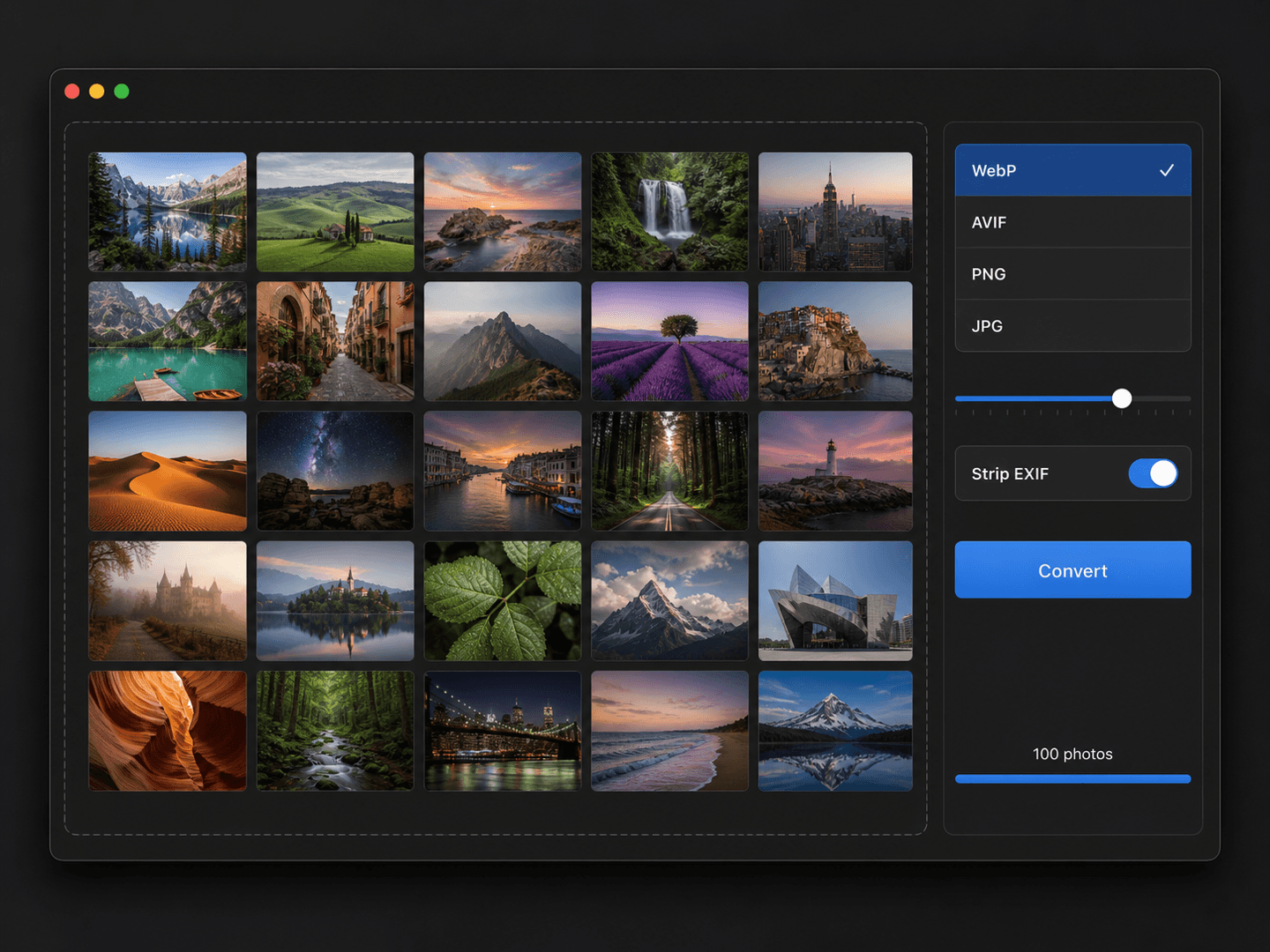
Photo & Video · 14-day free trial · macOS 15+ · Apple Silicon
Convert 100 photos to WebP in one drag.
Batch-convert HEIC to JPG, PNG, WebP or AVIF, strip EXIF, and resize to a preset — a hundred photos at a time. Right-click in Finder and it just runs.
14-day free trial · one-time license · macOS 15+ · Apple Silicon · signed & notarized DMG
The problem
Your iPhone shoots HEIC. The web wants WebP and AVIF. And every photo you publish carries EXIF data — location, device, timestamp — you probably don't want to ship. Preview won't export the modern formats, and converting a hundred at a time is a slog.
How it works
1
Drag in a batch
Drop a hundred photos, or right-click a selection in Finder → Convert. No app to open.
2
Pick a preset
Choose a target format and size, or run a saved workflow like 'iPhone → web WebP under 1MB'.
3
Done, EXIF stripped
Converted, resized, and metadata-cleaned in one pass — with Apple Silicon acceleration.
What it does
HEIC to WebP / AVIF
Convert between HEIC, JPG, PNG, WebP and AVIF — the modern web formats Preview won't touch — with Apple Silicon acceleration.
EXIF stripped
Remove location, device and timestamp metadata in one pass, so nothing private rides along with your images.
Saved workflows
Save a preset like 'iPhone → web WebP under 1MB' and rerun it on any batch with a single click.
Finder Quick Action
Right-click any selection of photos in Finder and convert them in place — no need to open the app.
Without it
- ✕iPhone shoots HEIC; the web wants WebP and AVIF
- ✕Preview won't export the modern formats
- ✕Every published photo carries location and device EXIF
- ✕Converting a hundred at a time is a slog
With Photo Batch Converter
- ✓HEIC → JPG / PNG / WebP / AVIF in one drag
- ✓EXIF stripped on-device, nothing rides along
- ✓Saved presets rerun on any batch in a click
- ✓Right-click in Finder — no app to open
$9.99one-time
✓14-day free trial✓$9.99 one-time✓Up to 3 Macs✓No subscription
Built by the team behind IMESync — a shipping macOS utility. Same focus on native, private, one-time-purchase tools.
FAQ
- Which formats does it handle?
- HEIC, JPG, PNG, WebP, and AVIF — including the modern web formats Preview won't touch.
- Do my photos get uploaded?
- Never. Every conversion and EXIF strip runs locally on your Mac.
- Is there a subscription?
- No. $9.99 once, lifetime updates.
- What do I need to run it?
- An Apple Silicon Mac (M1 or later) on macOS 15 or above. Signed and notarized DMG.