← All products
Backup Utility · 14-day free trial · macOS 15+
Your iCloud is not a backup.
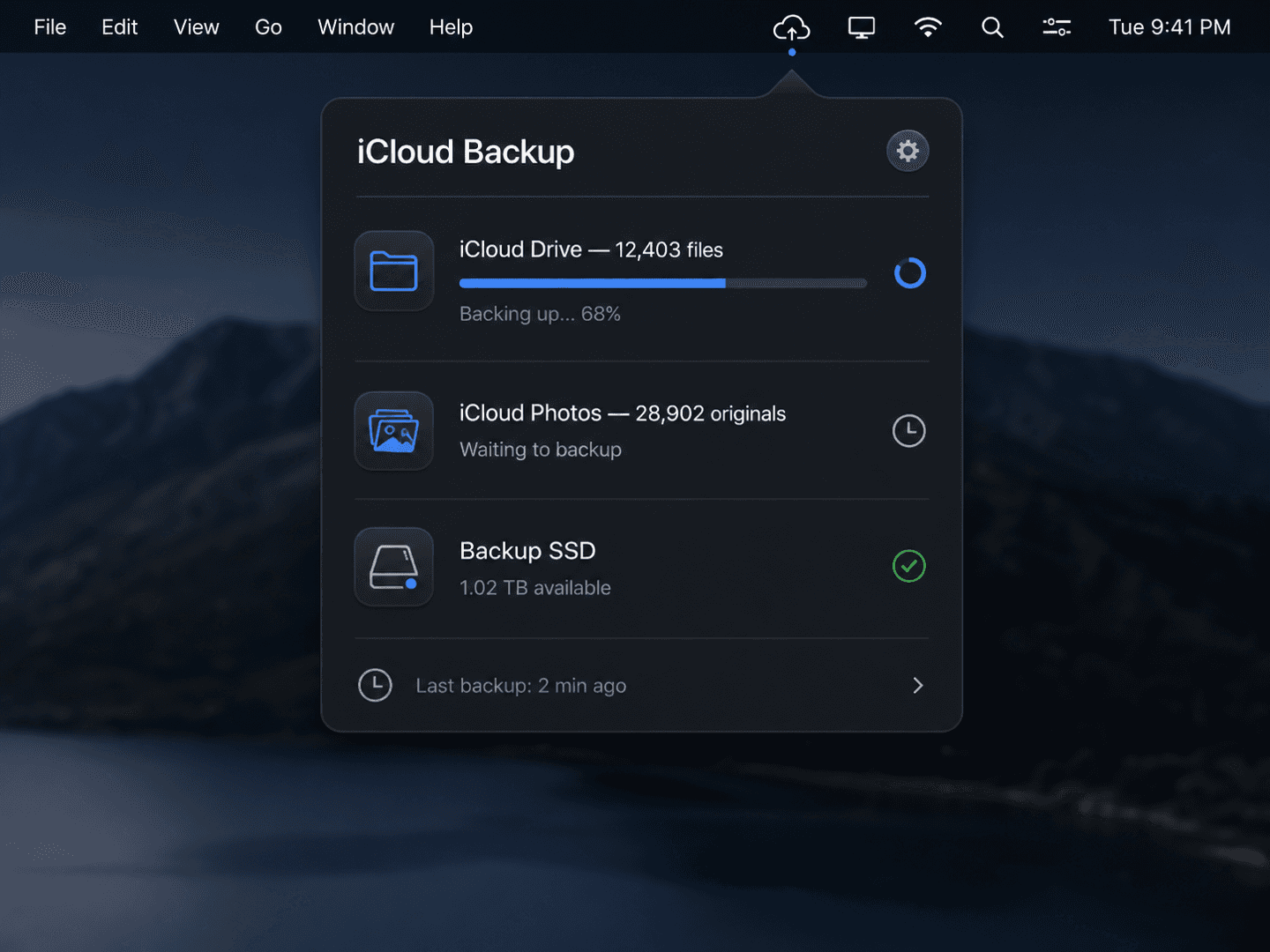
Automatically copy your iCloud Drive files and iCloud Photos originals to a disk you actually own — local, external, or NAS. Set it once and forget it.
14-day free trial · one-time license · macOS 15+ · signed & notarized DMG
The problem
You pay Apple for 200GB–2TB of iCloud. 30,000+ photos, 100GB+ of documents — and your only copy lives on Apple's servers. One account lockout, policy change, or sync bug away from gone. Time Machine doesn't touch iCloud. Carbon Copy Cloner doesn't pull your Photos originals.
How it works
1
Connect your disk
Point it at a local folder, an external SSD, or a NAS share. It remembers and reconnects automatically.
2
It mirrors iCloud
Full-resolution Photos originals and every iCloud Drive file are pulled down and copied — no thumbnails, no gaps.
3
Sleep easy
Automatic backups on a schedule or whenever your drive connects. A diff timeline shows exactly what changed.
What it does
iCloud Drive + Photos originals
Full-resolution Photos originals — not optimized thumbnails — and every iCloud Drive file.
External drive auto-detect
Plug in a USB or Thunderbolt drive and it backs up automatically. NAS over SMB, too.
Diff timeline & version restore
See which files changed and when. Roll back to any earlier version in one click.
On-device, no middleman
Files go straight from iCloud to your disk. Nothing passes through our servers — ever.
Without it
- ✕Your only copy lives on Apple's servers
- ✕Photos originals are stuck in iCloud, un-backupable by Time Machine
- ✕An account lockout means everything is gone
- ✕No way to see what changed or roll back
With iCloud Backup
- ✓A full second copy on a disk you own
- ✓Full-resolution Photos originals, on your drive
- ✓Survives any Apple account or policy change
- ✓Diff timeline + one-click version restore
$14.99one-time
✓14-day free trial✓$14.99 one-time✓Up to 3 Macs✓No subscription
Built by the team behind IMESync — a shipping macOS utility. Same focus on native, private, one-time-purchase tools.
FAQ
- Does it really download Photos originals?
- Yes — full-resolution originals via Apple's official PhotoKit, including edited, Live, and RAW resources.
- Is there a subscription?
- No. $14.99 once, lifetime updates. We hate subscription creep too.
- Where do my files go?
- Straight to the disk you choose — local, external, or NAS. Nothing touches our servers.
- What do I need to run it?
- Apple Silicon or Intel Mac on macOS 15 or later. Signed and notarized DMG.