← All products
Developer Utility · 14-day free trial · macOS 14+ · Apple Silicon
Clipboard history that hides your API keys.
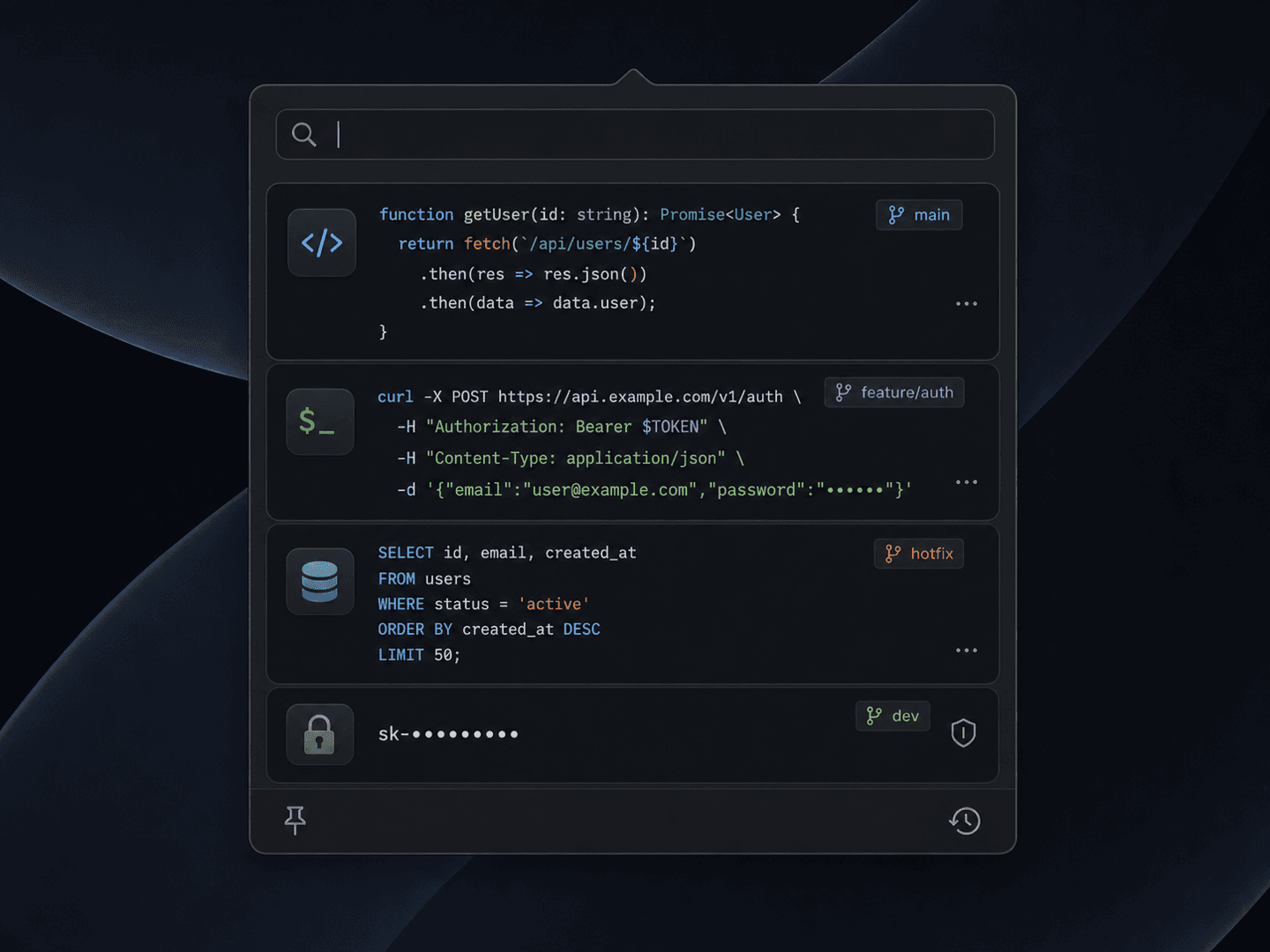
A clipboard manager built for how developers actually work — it auto-redacts secrets, highlights code by language, and remembers which repo you were in when you copied.
14-day free trial · one-time license · macOS 14+ · Apple Silicon · signed & notarized DMG
The problem
You copy dozens of things a day — code snippets, cURL commands, SQL, an API key you pasted into a config file. Generic clipboard managers keep all of it in plain text, including that sk- key you'd rather not leave lying around.
How it works
1
Copy as usual
Keep copying code, commands, and tokens all day. Everything lands in a searchable, syntax-aware history.
2
Secrets get masked
sk-, ghp_, and AKIA patterns are detected and redacted automatically — no keys sitting in plain text.
3
Find it by context
Filter by language or by the repo and branch you were in when you copied. Paste in one keystroke.
What it does
Auto-redact API keys
Detects secrets like sk-, ghp_, and AKIA patterns and masks them in your history automatically — copy a key without leaving it in plain text.
Syntax highlighting
Code in your history is highlighted by language — Swift, Python, SQL, shell, JSON, YAML — so you can scan it the way your editor does.
Git context tags
Each snippet remembers the repo and branch you were in when you copied it. Find that jq command from last week by project.
Search by type
Filter history by content type — show me only SQL, only shell, only JSON — and jump straight to what you need.
Without it
- ✕Every API key you copy sits in plain text history
- ✕Snippets are an undifferentiated wall of text
- ✕No idea which project a command came from
- ✕Generic managers built for notes, not code
With Clipboard History
- ✓sk-, ghp_, AKIA patterns auto-redacted
- ✓Code highlighted by language, like your editor
- ✓Each snippet tagged with its repo and branch
- ✓Filter by type — SQL, shell, JSON — instantly
$14.99one-time
✓14-day free trial✓$14.99 one-time✓Up to 3 Macs✓No subscription
Built by the team behind IMESync — a shipping macOS utility. Same focus on native, private, one-time-purchase tools.
FAQ
- How does secret redaction work?
- On-device regex patterns (sk-, ghp_, AKIA, and more — all editable) detect secrets and mask them in your history automatically. Nothing is sent anywhere.
- Does my clipboard leave my Mac?
- Never. All history and detection run locally — no account, no cloud sync, no telemetry on what you copy.
- Is there a subscription?
- No. $14.99 once, lifetime updates.
- What do I need to run it?
- An Apple Silicon Mac (M1 or later) on macOS 14 or above. Signed and notarized DMG.